Comparing Hyperconverged Infrastructure Solutions: Harvester and OpenStack

Wednesday, 10 August, 2022

Introduction

The effectiveness of good resource management in a secure and agile way is a challenge today. There are several solutions like Openstack and Harvester, which handles your hardware infrastructure as on-premise cloud infrastructure. This allows the management of storage, compute, and networking resources to be more flexible than deploying applications on single hardware only.

Both OpenStack and Harvester have their own use cases. This article describes the architecture, components, and differences between them to clarify what could be the best solution for every requirement.

This post analyzes the differences between OpenStack and Harvester from different perspectives: infrastructure management, resource management, deployment, and availability.

Cloud management is about managing data center resources, such as storage, compute, and networking. Openstack provides a way to manage these resources and a dashboard for administrators to handle the creation of virtual machines and other management tools for networking and storage layers.

While both Harvester and OpenStack are used to create cloud environments, there are several differences I will discuss.

According to the product documentation, OpenStack is a cloud operating system that controls large pools of compute, storage and networking resources throughout a data center. These are all managed through a dashboard that gives administrators control while empowering their users to provision resources through a web interface.

Harvester is the next generation of open source hyperconverged infrastructure (HCI) solutions designed for modern cloud native environments. Harvester also uses KubeVirt technology to provide cloud management with the advantages of Kubernetes. It helps operators consolidate and simplify their virtual machine workloads alongside Kubernetes clusters.

Architecture

While OpenStack provides its own services to create control planes and configures the infrastructure provided, Harvester uses the following technologies to provide the required stacks:

Harvester is installed as a node operating system using an ISO or a pxe-based installation, which uses RKE2 as a container orchestrator on top of SUSE Linux Enterprise Server to provide distributed storage with Longhorn and virtualization with Kubevirt.

APIs

Whether your environment is in production or in a lab setting, API use is far-reaching— for programmatic interactions, automations and new implementations.

Throughout each of its services, OpenStack provides several APIs for its functionality and provides storage, management, authentication and many other external features. As per the documentation, the logical architecture gives an overview of the API implementation.

In the diagram above, you can see the APIs a productive Openstack provides in bold.

Although OpenStack can be complex, it allows a high level of customization.

Harvester, in the meantime, uses Kubernetes for virtualization and Longhorn for storage, taking advantage of their APIs and allowing a high level of customization from the containerized architecture perspective. It can also be extended through the K8s CustomResourceDefinitions, which expands and migrates easier.

At the networking level, Harvester only supports VLAN through bridges and NIC bounding. Switches and advanced network configurations are outside the scope of Harvester.

OpenStack can provide multiple networking for advanced and specialized configurations.


Deployment

OpenStack provides several services on bare metal servers, such as installing packages and libraries, configuring files, and preparing servers to be added to OpenStack.

Harvester provides an ISO image preconfigured to be installed on bare metal servers.

Just install or pxe-install the image, and the node will be ready to join the cluster. This adds flexibility to scale nodes quickly and securely as needed.

Node types

OpenStack’s minimum architecture requirements consist of two nodes: a controller node to manage the resources and provide the required APIs and services to the environment and a compute node to host the resources created by the administrator. The controller nodes will maintain their roles supported in a production architecture.

Harvester nodes are interchangeable. It can be deployed in all-in-one mode, and the same node serving as a controller will act as compute node. This makes Harvester an excellent choice to consider for Edge architecture.

Cluster management

Harvester is fully integrated with Rancher, making adding and removing nodes easy. There is no need to preconfigure new compute nodes or handle the workloads since Rancher manages the cluster management.

Harvester can start in a single node (also known as all-in-one), where the node serves as a compute and a single node control plane. Longhorn, deployed as part of Harvester, provides the storage layer. When the cluster reaches three nodes, Harvester will reconfigure itself to provide High Availability features without disruption; the nodes can be promoted to the control plane or demoted as needed.

In OpenStack, roles (compute, controller, etc.) are locked since the node is being prepared to be added to the cluster.

Operations

Harvester leverages Rancher for authentication, authorization, and cluster management to handle the operation. Harvester integration with Rancher provides an intuitive dashboard UI where you can manage both at the same time.

Harvester also provides monitoring, managed with Rancher since the beginning. Users will see the metrics on the dashboard, shown below:

The dashboard also provides a single source of truth to the whole environment.


Storage

In Harvester, storage is provided by Longhorn as a service running on the compute nodes, so Longhorn scales easily with the rest of the cluster as new nodes are added. There is no need for extra nodes for storage. There is also no need to have external storage controllers to communicate between the control plane, compute, and storage nodes. Storage is distributed along the Harvester nodes from the view of the VMs (there is no local storage), and it also supports backups to NFS or S3 buckets.


Conclusion

Harvester is a modern, powerful cloud-based HCI solution based on Kubernetes, fully integrated with Rancher, that eases the deployment, scalability and operations.

While Harvester only supports NIC bounding and VLAN (bridge) methods, more networking modes will be added.

For more specialized network configurations, OpenStack is the preferred choice.

Want to know more?

Check out the resources!

You can also check this in-depth SUSECON session delivered by my colleague Guang Yee:


Harvester is open source — if you want to contribute or check what is going on, visit the Harvester github repository

Managing Your Hyperconverged Network with Harvester

Friday, 22 July, 2022

Hyperconverged infrastructure (HCI) is a data center architecture that uses software to provide a scalable, efficient, cost-effective way to deploy and manage resources. HCI virtualizes and combines storage, computing, and networking into a single system that can be easily scaled up or down as required.

A hyperconverged network, a networking architecture component of the HCI stack, helps simplify network management for your IT infrastructure and reduce costs by virtualizing your network. Network virtualization is the most complicated among the storage, compute and network components because you need to virtualize the physical controllers and switches while dividing the network isolation and bandwidth required by the storage and compute. HCI allows organizations to simplify their IT infrastructure via a single control pane while reducing costs and setup time.

This article will dive deeper into HCI with a new tool from SUSE called Harvester. By using Kubernetes’ Container Network Interface (CNI) mechanisms, Harvester enables you to better manage the network in an HCI. You’ll learn the key features of Harvester and how to use it with your infrastructure.

Why you should use Harvester

The data center market offers plenty of proprietary virtualization platforms, but generally, they aren’t open source and enterprise-grade. Harvester fills that gap. The HCI solution built on Kubernetes has garnered about 2,200 GitHub stars as of this article.

In addition to traditional virtual machines (VMs), Harvester supports containerized environments, bridging the gap between legacy and cloud native IT. Harvester allows enterprises to replicate HCI instances across remote locations while managing these resources through a single pane.

Following are several reasons why Harvester could be ideal for your organization.

Open source solution

Most HCI solutions are proprietary, requiring complicated licenses, high fees and support plans to implement across your data centers. Harvester is a free, open source solution with no license fees or vendor lock-in, and it supports environments ranging from core to edge infrastructure. You can also submit a feature request or issue on the GitHub repository. Engineers check the recommendations, unlike other proprietary software that updates too slowly for market demands and only offers support for existing versions.

There is an active community that helps you adopt Harvester and offers to troubleshoot. If needed, you can buy a support plan to receive round-the-clock assistance from support engineers at SUSE.

Rancher integration

Rancher is an open source platform from SUSE that allows organizations to run containers in clusters while simplifying operations and providing security features. Harvester and Rancher, developed by the same engineering team, work together to manage VMs and Kubernetes clusters across environments in a single pane.

Importing an existing Harvester installation is as easy as clicking a few buttons on the Rancher virtualization management page. The tight integration enables you to use authentication and role-based access control for multitenancy support across Rancher and Harvester.

This integration also allows for multicluster management and load balancing of persistent storage resources in both VM and container environments. You can deploy workloads to existing VMs and containers on edge environments to take advantage of edge processing and data analytics.

Lightweight architecture

Harvester was built with the ethos and design principles of the Cloud Native Computing Foundation (CNCF), so it’s lightweight with a small footprint. Despite that, it’s powerful enough to orchestrate VMs and support edge and core use cases.

The three main components of Harvester are:

  • Kubernetes: Used as the Harvester base to produce an enterprise-grade HCI.
  • Longhorn: Provides distributed block storage for your HCI needs.
  • KubeVirt: Provides a VM management kit on top of Kubernetes for your virtualization needs.

The best part is that you don’t need experience in these technologies to use Harvester.

What Harvester offers

As an HCI solution, Harvester is powerful and easy to use, with a web-based dashboard for managing your infrastructure. It offers a comprehensive set of features, including the following:

VM lifecycle management

If you’re creating Windows or Linux VMs on the host, Harvester supports cloud-init, which allows you to assign a startup script to a VM instance that runs when the VM boots up.

The custom cloud-init startup scripts can contain custom user data or network configuration and are inserted into a VM instance using a temporary disc. Using the QEMU guest agent means you can dynamically inject SSH keys through the dashboard to your VM via cloud-init.

Destroying and creating a VM is a click away with a clearly defined UI.

VM live migration support

VMs inside Harvester are created on hosts or bare-metal infrastructure. One of the essential tasks in any infrastructure is reducing downtime and increasing availability. Harvester offers a high-availability solution with VM live migration.

If you want to move your VM to Host 1 while maintaining Host 2, you only need to click migrate. After the migration, your memory pages and disc block are transferred to the new host.

Supported VM backup and restore

Backing up a VM allows you to restore it to a previous state if something goes wrong. This backup is crucial if you’re running a business or other critical application on the machine; otherwise, you could lose data or necessary workflow time if the machine goes down.

Harvester allows you to easily back up your machines in Amazon Simple Storage Service (Amazon S3) or network-attached storage (NAS) devices. After configuring your backup target, click Take Backup on the virtual machine page. You can use the backup to replace or restore a failed VM or create a new machine on a different cluster.

Network interface controllers

Harvester offers a CNI plug-in to connect network providers and configuration management networks. There are two network interface controllers available, and you can choose either or both, depending on your needs.

Management network

This is the default networking method for a VM, using the eth0 interface. The network configures using Canal CNI plug-ins. A VM using this network changes IP after a reboot while only allowing access within the cluster nodes because there’s no DHCP server.

Secondary network

The secondary network controller uses the Multus and bridge CNI plug-ins to implement its customized Layer 2 bridge VLAN. VMs are connected to the host network via a Linux bridge and are assigned IPv4 addresses.

IPv4 addresses’ VMs are accessed from internal and external networks using the physical switch.

When to use Harvester

There are multiple use cases for Harvester. The following are some examples:

Host management

Harvester dashboards support viewing infrastructure nodes from the host page. Kubernetes has HCI built-in, which makes live migrations, like Features, possible. And Kubernetes provides fault tolerance to keep your workloads in other nodes running if one node goes down.

VM management

Harvester offers flexible VM management, with the ability to create Windows or Linux VMs easily and quickly. You can mount volumes to your VM if needed and switch between the administration and a secondary network, according to your strategy.

As noted above, live migration, backups, and cloud-init help manage VM infrastructure.

Monitoring

Harvester has built-in monitoring integration with Prometheus and Grafana, which installs automatically during setup. You can observe CPU, memory, storage metrics, and more detailed metrics, such as CPU utilization, load average, network I/O, and traffic. The metrics included are host level and specific VM level.

These stats help ensure your cluster is healthy and provide valuable details when troubleshooting your hosts or machines. You can also pop out the Grafana dashboard for more detailed metrics.

Conclusion

Harvester is the HCI solution you need to manage and improve your hyperconverged infrastructure. The open source tool provides storage, network and computes in a single pane that’s scalable, reliable, and easy to use.

Harvester is the latest innovation brought to you by SUSE. This open source leader provides enterprise Linux solutions, such as Rancher and K3s, designed to help organizations more easily achieve digital transformation.

Get started

For more on Harvester or to get started, check the official documentation.

Build a lightweight private cloud with Harvester, K3s, and Traefik Proxy

Tuesday, 17 May, 2022

Cloud native technologies are so compelling they’re changing the landscape of computing everywhere – including on-premises. And while it would be convenient if you were deploying into a greenfield situation, that’s rarely reality.

Enter Harvester, the open source hyperconverged infrastructure (HCI) solution designed to easily unify your virtual machine (VM) and container infrastructure operations. And with Harvester, K3s and Traefik Proxy (installed as the ingress controller with K3s) we want to show you how to build an on-premises, lightweight private cloud with ease.

Join us on Wed, May 25th for this Traefik Labs hosted online meetup to explore Harvester, K3s, Kubevirt, Longhorn and Traefik Proxy as the building blocks to a modern, lightweight private cloud.

Register today!

Getting Hands on with Harvester HCI

Monday, 2 May, 2022

When I left Red Hat to join SUSE as a Technical Marketing Manager at the end of 2021, I heard about Harvester, a new Hyperconverged Infrastructure (HCI) solution with Kubernetes under the hood. When I started looking at it, I immediately saw use cases where Harvester could really help IT operators and DevOps engineers. There are solutions that offer similar capabilities but there’s nothing else on the market like Harvester. In this blog, I’ll give an overview of getting started with Harvester and what you need for a lab implementation.­


First, let me bring you up to speed on Harvester. This HCI solution from SUSE takes advantage of your existing hardware with cutting edge open source technology, and, as always with SUSE, offers flexibility and freedom without locking you in with expensive and complex solutions.

Figure 1 shows, at a glance, what Harvester is and the main technologies that compose it.


Fig. 1 – Harvester stack 


The base of the solution is the Linux operating system. Longhorn provides lightweight and easy-to-use distributed block storage system for Kubernetes — in this case for the VMs running on the cluster. RKE2 provides the Kubernetes layer where KubeVirt runs, providing virtualization capabilities using KVM on Kubernetes. The concept is simple: like in Kubernetes, there are pods running in a cluster. The big difference is that there are VMs inside those pods. 

To learn more about the tech under the hood and technical specs, check out this blog post from Sheng Yang introducing Harvester technical details.

The lab

I set up a home lab based on a Slimbook One node with an AMD Ryzen 7 processor, with 8 cores and 16 threads, 64GB of RAM and 1TB NVMe SSD — this is twice the minimum requirements for Harvester. In case you don’t know Slimbook, it is a brand focused on hardware oriented for Linux and open source software. You’ll need an ethernet connection for Harvester to boot, so if you don’t have a dedicated switch to connect your server, just connect it to the router from your ISV.


Fig. 2 – Slimbook One 


The installation

The installation was smooth and easy since Harvester ships as an appliance. Download the ISO image and install it on a USB drive or use PXE for the startup. In this process, you’ll be asked some basic questions to configure Harvester during the installation process. 

Fig. 3 – ISO Install


As part of the initial set up you can create a token that can be used later to add nodes to the cluster. Adding more nodes to the cluster is easy; you just start another node with the appliance and provide the token so the new node can join to the Kubernetes cluster. This is similar for what you do with RKE2 and K3s when adding nodes to a cluster. After you provide all the information for the installation process, you’ll have to wait approximately 10 minutes for Harvester to finish the set up. The Harvester configuration is stored as a yaml file and can be sourced from a URL during the installation to make the installation repeatable and easy to keep on a git repository.


Once the installation is finished, on the screen you’ll see the IP/DNS to connect Harvester and whether Harvester is ready or not. Once ready, you can log into the UI using the IP/DNS. The UI is very similar to Rancher and gives you the possibility to use a secure password in the first login. 


Fig. 4 – Harvester installation finished & ready screen 


The first login and dashboard

When you log in for the first time, you’ll see that it is easy to navigate.  Harvester benefits from a clean UI; it’s easy to use and completely oriented toward virtualization users and operators. Harvester offers the same kind of experience that IT operators would expect of a virtualization platform like oVirt. 


Fig. 5 – Harvester dashboard 


The first thing you’ll find once logged in is the dashboard, which allows you to see all the basic information about your cluster, like hosts, VMs, images, cluster metrics and VM metrics. If you navigate down the dashboard, you’ll find an event manager that shows you all the events segregated by kind of object.


When you dig further into the UI, you´ll find not only the traditional virtualization items but also Kubernetes options, like managing namespaces. When we investigate further, we find some namespaces are already created but we can create more in order to take advantage of Kubernetes isolation. Also, we find a fleet-local namespace which gives us a clue about how Kubernetes objects are managed inside the local cluster. Fleet is a GitOps-based deployment engine created by Rancher to simplify and improve cluster control. In the Rancher UI it’s referred to as ‘Continuous Deployment.’

Creating your first VM

Before creating your first VM you need to upload the image you’ll use to create it.  Harvester can use qcow2, raw and ISO images which can be uploaded from the Images tab using a URL or importing them from your local machine. Before uploading the images, you have the option to select which namespace you want them in, and you can assign labels (yes, Kubernetes labels!) to use them from the Kubernetes cluster. Once you have images uploaded you can create your first VM.

The VM assistant feels like any other virtualization software out there: you select CPU, RAM, storage, networking options, etc.


Fig. 6 – VM creation


However, there are some subtle differences. First, you must select a namespace where to deploy the VM, and you have the possibility to see all the VM options as yaml code. This means your VMs can be defined as managed as code and integrated with Fleet. This is a real differentiator from more traditional virtualization platforms. Also, you can select the node where the VM will be running, use the Kubernetes scheduler to place the VM on the best node, apply scheduling rules or select specific nodes that do not support live migration. Finally, there is the option to use containers alongside VMs in the same pod; the container image you select is a sidecar for the VM. This sidecar container is added as a disk from the Harvester UI. Cloud config is supported out of the box to configure the VMs during the first launch as you could expect from solutions like OpenStack or oVirt. 

Conclusion

Finding Kubernetes concepts on a virtualization solution might be a little awkward at the beginning. However, finding things like Grafana, namespace isolation and sidecar containers in combination with a virtualization platform really helps to get the best of both worlds. As far as use cases where Harvester can be of use, it is perfect for the Edge, where it takes advantage of the physical servers you already have in your organization since it doesn’t need a lot of resources to run. Another use case is as an on-prem HCI solution, offering a perfect way to integrate VMs and containers in one platform. The integration with Rancher offers even more capabilities. Rancher provides a unified management layer for hybrid cloud environments, offering central RBAC management for multi-tenancy support; a single pane of glass to manage VMs, containers and clusters; or deploying your Kubernetes clusters in Harvester or on most of the cloud providers in the market. 

We may be in a cloud native world now, but VMs are not going anywhere. Solutions like Harvester ease the integration of both worlds, making your life easier. 

To get started with Harvester, head over to the quick start documentation. 

You can also access this informative on-line session which provides a comprehensive recap of all the essential details needed to evaluate Harvester in your very own local environment:

Join the SUSE & Rancher community to learn more about Harvester and other SUSE open source projects.


Harvester is now production-ready and generally available  

Tuesday, 21 December, 2021

2021 has been a memorable year for the Harvester team. In May, SUSE hosted the first virtual SUSECON, where we announced the beta release of Harvester, alongside a cast of new innovative open source projects from the SUSE Rancher engineering team. In October, for the first time in two years, we were able to meet our industry peers and the community face-to-face at KubeCon North America where we announced Harvester’s plans to integrate with our leading Kubernetes management platform SUSE Rancher.

Today, we’re closing out the year with one more major announcement – that Harvester is now production-ready and generally available for our customers and the open source community! Harvester’s highly anticipated release marks a major milestone for SUSE as it is the first brand new product release since SUSE’s acquisition of Rancher Labs and expands SUSE’s portfolio capabilities into the hyperconverged infrastructure space.

Why did SUSE build an HCI product?

This year, SUSE made a commitment to our customers and the community to help them ‘Choose Open’ and innovate across their business using open source solutions. Harvester plays an integral piece in SUSE’s portfolio as it showcases our commitment in enriching the open source landscape while providing our customers and the community valuable solutions to help them solve their infrastructure challenges.

Harvester is a natural extension to our existing strong background in container management. It takes an open, interoperable approach to hyperconverged infrastructure and addresses common challenges, including managing sprawl, siloing of teams and resource limitations faced by IT operators who need to manage modern environments comprised of both virtualized and containerized workloads.

What’s Harvester?

Harvester is a 100% free-to-use, open source modern hyperconverged infrastructure solution  that is built on a foundation of cloud native solutions including Kubernetes, Longhorn and Kubevirt. It has been designed as an enterprise-ready turnkey solution that gives operators a familiar operating experience like other proprietary HCI solutions in the market.

Though built on Kubernetes, it does not require any pre-existing knowledge to operate. Its integration with SUSE Rancher gives users the ability to operate their virtualized and container workloads all within the same platform while also creating an easy, low-risk pathway for organizations looking to adopt cloud native solutions into their infrastructure modernization strategy. Learn more about the technical capabilities of Harvester in this blog by Sheng Yang, Engineering Lead for Harvester.

Image 1. Harvester as part of SUSE Rancher Console

Harvester integrates with SUSE Rancher

With today’s GA, one of the biggest milestones the Harvester engineering team has achieved this year is the integration of Harvester into the SUSE Rancher console.

As organizations look to accelerate their IT modernization journey, complexity rapidly grows as teams adopt multiple different solutions to help them manage their ever-expanding environments.  Organizations now need tools that can help them both confidently scale environments that simultaneously efficiently manages and governs their stack. Harvester and SUSE Rancher together addresses these needs by consolidating the management of operations for virtualized and containerized workloads – all accessible in a single Rancher platform instance.

This means both Harvester and Rancher clusters can be managed side by side within Rancher’s instance, reducing operators’ need to use separate solutions between the two workloads. Users can access the Harvester UI directly from within the Rancher console. In addition, Harvester clusters also have the ability to access the same features available to Rancher clusters, including authentication, role-based access control and cluster provisioning.

Another opportunity with Harvester and Rancher is that organizations who may be early in their modernization journey can use both open source solutions together as a low-risk pathway to adopting cloud native technology across their stack. Both solutions promote innovation by encouraging organizations to build their confidence in integrating modern technology to develop cloud native applications. For extra piece of mind, customers who may need an additional helping hand can have access SUSE’s support subscription available for Harvester.

Harvester’s general availability extends further than its integration with SUSE Rancher and its ability to consolidate VM and container workloads. Learn more from Robert Sirchia, Senior Technical Evangelist at SUSE, as he explores how Harvester’s cloud-native lightweight nature can be applied at the edge and also used as a platform to modernize applications.

Don’t miss the SUSE and Rancher community’s Global Online Meetup introducing Harvester on the 19th of January 2022 and 10am Pacific Time – alternatively find a local Harvester meetup near you. Learn more about Harvester here or get started today.

Harvester: A Modern Infrastructure for a Modern Platform

Tuesday, 21 December, 2021

Cloud platforms are not new — they have been around for a few years. And containers have been around even longer. Together, they have changed the way we think about software. Since the creation of these technologies, we have focused on platforms and apps. And who could blame anyone? Containers and Kubernetes let us do things that were unheard of only a few years ago.

What about the software that runs the infrastructure to support all these advancements? Over the same time, we have seen advancements — some in open source but the most with proprietary solutions. Sure, there is nothing wrong with running open source on top of a proprietary solution. These systems have become very good at what they do: running virtual machines but not container or container platforms, for that matter.

The vast majority of this infrastructure software is proprietary. This means you need two different skill sets to manage each of these — one proprietary, one Kubernetes. This is a lot to put on one team; it’s almost unbearable to put on one individual. What if there was an open infrastructure that used the same concepts and management plane as Kubernetes? We could lower the learning curve by managing our clusters the same way we can manage our host. We trust Kubernetes to manage clusters — why not our hosts?

Harvester: Built on Open Cloud Native Technology

Harvester is a simple, elegant, and light hyperconverged infrastructure (HCI) solution built for running virtual machines and Kubernetes clusters on bare metal servers. With Harvester reaching General Availability, we can now manage our host with the same concepts and management plane as our clusters. Harvester is a modern infrastructure for a modern platform. Completely open source, this solution is built on Kubernetes and incorporates other cloud native solutions, including Longhorn and Kubevirt, and leveraging all of these technologies transparently to deliver a modern hypervisor. This gives Harvester endless possibilities with all the other projects that integrate with Kubernetes.

This means operators and infrastructure engineers can leverage their existing skill sets and will find in Harvester a familiar HCI experience. Harvester easily integrates into cloud native environments, and offers enterprise-grade, turnkey features without costly overhead of the proprietary alternatives — saving both time and money.

A Platform for the Edge

Harvester’s small footprint means it is a great choice for the unique demands of hardware at the edge. Harvester gives operators the ability to deploy and manage VMs and Kubernetes clusters on a single platform. And because it integrates into Rancher, Harvester clusters can be managed centrally using all the great tooling Rancher provides. Edge applications will also benefit from readily available enterprise-grade storage, without costly and specialized storage hardware required. This enables operators to keep compute and storage as close to the user as possible, without sacrificing management and security. Kubernetes is quickly becoming a standard for edge deployments, so an HCI that also speaks this language is beneficial.

Harvester is a great solution for data centers, which come in all shapes and sizes. Harvester’s fully integrated approach means you can use high-density hardware with low-cost local storage. This saves on equipment costs and the amount of rack space required. A Harvester cluster can be as small as three servers, or an entire rack. Yet it can run just as well in branch or small-office server rooms. And all of these locations can be centrally managed through Rancher.

A Platform for Modernizing Applications

Harvester isn’t just a platform for building cloud native applications but one that you can use to take applications from VMs to clusters. It allows operators to run VMs alongside clusters, giving developers the opportunity to start decomposing these monoliths to cloud native applications. With most applications, this takes months and sometimes years. With Harvester, there isn’t a rush. VMs and clusters live side by side with ease. It offers all of this in one platform with one management plane.

As cloud native technologies continue their trajectory as keys to digital transformation, next-gen HCI solutions need to offer functionality and simplicity with the capability to manage containerized and non-containerized workloads, storage and network requirements across any environment.

Conclusion

What’s unique about Harvester? You can use it to manage multiple clusters hosted on VMs or a Kubernetes distribution. It’s 100 percent open source and leverages proven technologies – so why not give it a try to simplify your infrastructure stack?  You’ll get a feature-rich operational experience in a single management platform, with the support of the open-source community behind it. We have seen the evolution of Harvester, from a fledgling open-source project to a full-on enterprise-ready HCI solution.

We hope you take a moment to download and give Harvester a try.

JOIN US at the Harvester Global Online Meetup – January  19 at 10am PT. Our product team will be on hand to answer your questions. Register here.

Harvester Integrates with Rancher: What Does This Mean for You?

Thursday, 21 October, 2021

Thousands of new technology solutions are created each year, all designed to help serve the open source community of developers and engineers who build better applications. In 2014, Rancher was founded as a software solution aiming to help simplify the lives of engineers building applications in the new market of containers.

Today, Rancher is a market-leading, open source solution supported by a rich community helping thousands of global organizations deliver Kubernetes at scale.

Harvester is a new project from the SUSE Rancher team. It is a 100% open source, Hyperconverged Infrastructure (HCI) solution that offers the same expected integrations as traditional commercial solutions while also incorporating beneficial components of Kubernetes. Harvester is built on a foundation of cloud native technology to bridge the gap between traditional HCI and cloud native solutions.

Why Is This Significant? 

Harvester addresses the intersection of traditional HCI frameworks and modern containerization strategies. Developed by SUSE’s team of Rancher engineers, Harvester preserves the core values of Rancher. This includes enriching the open source community by creating Harvester as a 100% open, interoperable, and reliable HCI solution that fits any environment while retaining the traditional functions of HCI solutions. This helps users efficiently manage and operate their virtual machine workloads.

When Harvester is used with Rancher, it provides cloud native users with a holistic platform to manage new cloud native environments, including Kubernetes and containers alongside legacy Virtual Machine (VM) workloads. Rancher and Harvester together can help organizations modernize their IT environment by simplifying the operations and management of workloads across their infrastructure, reducing the amount of operational debt.

What Can We Expect in the Rancher & Harvester Integration?

There are a couple of significant updates in this v0.3.0 of Harvester with Rancher. The integration with Rancher v2.6.1 gives users extended usability across both platforms, including importing and managing multiple Harvester clusters using the Virtualization Management feature in Rancher v2.6.1. In addition, users can also leverage the authentication mechanisms and RBAC control for multi-tenancy support available in Rancher.  

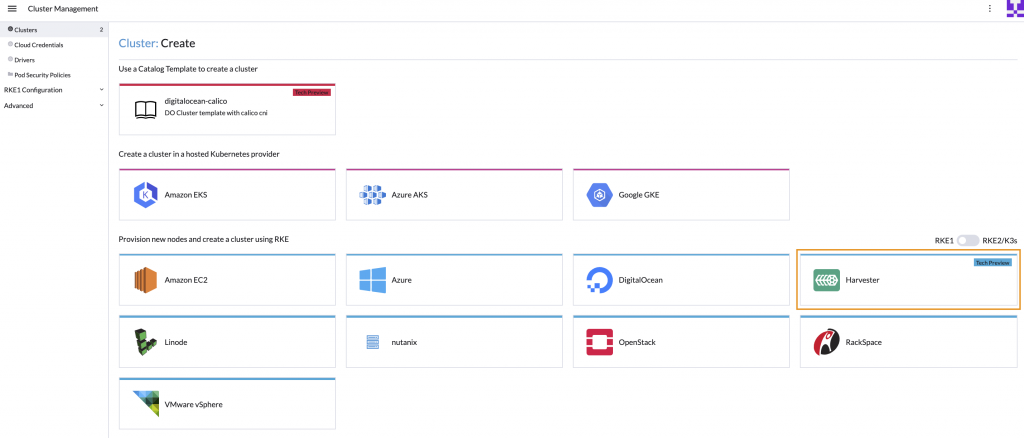
Harvester users can now provision RKE & RKE2 clusters within Rancher v2.6.1 using the built-in Harvester Node Driver. Additionally, Harvester can now provide built-in Load Balancer support and raw cluster persistent storage support to guest Kubernetes clusters.  

Harvester remains on track to hit its general availability v1.0.0 release later this year.

Learn more about the Rancher and Harvester integration here.  

You can also check out additional feature releases in v0.3.0 of Harvester on GitHub or at harvesterhci.io.

How to Manage Harvester 0.3.0 with Rancher 2.6.1 Running in a VM within Harvester

Wednesday, 20 October, 2021

What I liked about the release of Harvester 0.2.0 was the ease of enabling the embedded Rancher server, which allowed you to create Kubernetes clusters in the same Harvester cluster.

With the release of Harvester 0.3.0, this option was removed in favor of installing Rancher 2.6.1 separately and then importing your Harvester cluster into Rancher, where you could manage it. A Harvester node driver is provided with Rancher 2.6.1 to allow you to create Kubernetes clusters in the same Harvester 0.3.0 cluster.

I replicated my Harvester 0.2.0 plus the Rancher server experience using Harvester 0.3.0 and Rancher 2.6.1.

There’s no upgrade path from Harvester 0.2.0 to 0.3.0, so the first step was reinstalling my Intel NUC with Harvester 0.3.0 following the docs at: https://docs.harvesterhci.io/v0.3/install/iso-install/.

Given that my previous Harvester 0.2.0 install included Rancher, I figured I’d install Rancher in a VM running on my newly installed Harvester 0.3.0 node – but which OS would I use? With Rancher being deployed using a single Docker container, I was looking for a small, lightweight OS for the edge that included Docker. From past experience, I knew that openSUSE Leap had slimmed down images of its distribution available at https://get.opensuse.org/leap/ – click the alternative downloads link immediately under the initial downloads. Known as Just enough OS (JeOS), these are available for both Leap and Tumbleweed (their rolling release). I opted for Leap, so I created an image using the URL for the OpenStack Cloud image (trust me – the KVM and XEN image hangs on boot).

Knowing that I wanted to be able to access Rancher on the same network my Harvester node was attached to, I also enabled  Advanced | Settings | vlan (VLAN) and created a network using VLAN ID 1 (Advanced | Networks).

The next step is to install Rancher in a VM. While I could do this manually, I prefer automation and wanted to do something I could reliably repeat (something I did a lot while getting this working) and perhaps adapt when installing future versions. When creating a virtual machine, I was intrigued by the user data and network data sections in the advanced options tab, referenced in the docs at https://docs.harvesterhci.io/v0.3/vm/create-vm/, along with some basic examples. I knew from past experience that cloud-init could be used to initialize cloud instances, and with the openSUSE OpenStack Cloud images using cloud-init, I wondered if this could be used here. According to the examples in the cloud-init docs at https://cloudinit.readthedocs.io/en/latest/topics/examples.html, it can!

When creating the Rancher VM, I gave it 1 CPU with a 4-core NUC and Harvester 0.3.0 not supporting over-provisioning (it’s a bug – phew!) – I had to be frugal! Through trial and error, I also found that the minimum memory required for Rancher to work is 3 GB. I chose my openSUSE Leap 15.3 JeOS OpenStack Cloud image on the volumes tab, and on the networks tab, I chose my custom (VLAN 1) network.

The real work is done on the advanced options tab. I already knew JeOS didn’t include Docker, so that would need to be installed before I could launch the Docker container for Rancher. I also knew the keyboard wasn’t set up for me in the UK, so I wanted to fix that too. Plus, I’d like a message to indicate it was ready to use. I came up with the following User Data:

password: changeme
packages:
  - docker
runcmd:
  - localectl set-keymap uk
  - systemctl enable --now docker
  - docker run --name=rancher -d --restart=unless-stopped -p 80:80 -p 443:443 --privileged rancher/rancher:v2.6.1
  - until curl -sk https://127.0.0.1 -o /dev/null; do sleep 30s; done
final_message: Rancher is ready!

Let me go through the above lines:

  • Line 1 sets the password of the default opensuse user – you will be prompted to change this the first time you log in as this user, so don’t set it to anything secret!
  • Lines 2 & 3 install the docker package.
  • Line 4 says we’ll run some commands once it’s booted the first time.
  • Line 5 sets the UK keyboard.
  • Line 6 enables and starts the Docker service.
  • Line 7 pulls and runs the Docker container for Rancher 2.6.1 – this is the same line as the Harvester docs, except I’ve added “–name=rancher” to make it easier when you need to find the Bootstrap Password later.
    NOTE: When you create the VM, this line will be split into two lines with an additional preceding line with “>-” – it will look a bit different, but it’s nothing to worry about!
  • Line 8 is a loop checking for the Rancher server to become available – I test localhost, so it works regardless of the assigned IP address.
  • Line 9 prints out a message saying it’s finished (which happens after the previous loop completes).

An extra couple of lines will be automatically added when you click the create button but don’t click it yet as we’re not done!

This still left a problem with which IP address I use to access Rancher? With devices being assigned random IP addresses via DHCP, how do I control which address is used? Fortunately, the Network Data sections allow us to set a static address (and not have to mess with config files or run custom scripting within the VM):

network:
  version: 1
  config:
    - type: physical
      name: eth0
      subnets:
        - type: static
          address: 192.168.144.190/24
          gateway: 192.168.144.254
    - type: nameserver
      address:
        - 192.168.144.254
      search:
        - example.com

I won’t go through all the lines above but will call out those you need to change for your own network:

  • Line 8 sets the IP address to use with the CIDR netmask (/24 means 255.255.255.0).
  • Line 9 sets the default gateway.
  • Line 12 sets the default DNS nameserver.
  • Line 14 sets the default DNS search domain.

See https://cloudinit.readthedocs.io/en/latest/topics/network-config-format-v1.html# for information on the other lines.

Unless you unticked the start virtual machine on creation, your VM should start booting once you click the Create button. If you open the Web Console in VNC, you’ll be able to keep an eye on the progress of your VM. When you see the message Rancher is ready, you can try accessing Rancher in a web browser at the IP address you specified above. Depending on the web browser you’re using and its configuration, you may see warning messages about the self-signed certificate Rancher is using.

The first time you log in to Rancher, you will be prompted for the random bootstrap password which was generated. To get this, you can SSH as the opensuse user to your Rancher VM, then run:

sudo docker logs rancher 2>&1 | grep "Bootstrap Password:"

Copy the password and paste it into the password field of the Rancher login screen, then click the login with Local User button.

You’re then prompted to set a password for the default admin user. Unless you can remember random strings or use a password manager, I’d set a specific password. You also need to agree to the terms and conditions for using Rancher!

Finally, you’re logged into Rancher, but we’re not entirely done yet as we need to add our Harvester cluster. To do this, click on the hamburger menu and then the Virtualization Management tab. Don’t panic if you see a failed whale error – just try reloading.

Clicking the Import Existing button will give you some registration commands to run on one of your Harvester node(s).

To do this, SSH to your Harvester node as the rancher user and then run the first kubectl command prefixed with sudo. Unless you’ve changed your Harvester installation, you’ll also need to run the curl command, again prefixing the kubectl command with sudo. The webpage should refresh, showing your Harvester cluster’s management page. If you click the Harvester Cluster link or tab, your Harvester cluster should be listed. Clicking on your cluster name should show something familiar!

Finally, we need to activate the Harvester node driver by clicking the hamburger menu and then the Cluster Management tab. Click Drivers, then Node Drivers, find Harvester in the list, and click Activate.

Now we have Harvester 0.3.0 integrated with Rancher 2.6.1, running similarly to Harvester 0.2.0, although sacrificing 1 CPU (which will be less of an issue once the CPU over-provisioning bug is fixed) and 3GB RAM.

Admittedly, running Rancher within a VM in the same Harvester you’re managing through Rancher doesn’t seem like the best plan, and you wouldn’t do it in production, but for the home lab, it’s fine. Just remember not to chop off the branch you’re standing on!

Harvester: Intro and Setup    

Tuesday, 17 August, 2021
I mentioned about a month back that I was using Harvester in my home lab. I didn’t go into much detail, so this post will bring some more depth. We will cover what Harvester does, as well as my hardware, installation, setup and how to deploy your first virtual machine. Let’s get started.

What is Harvester?

Harvester is Rancher’s open source answer to a hyperconverged infrastructure platform. Like most things Rancher is involved with, it is built on Kubernetes using tools like KubeVirt and Longhorn. KubeVirt is an exciting project that leverages KVM and libvirt to run virtual machines inside Kubernetes; this allows you to run both containers and VMs in your cluster. It reduces operational overhead and provides consistency. This combination of tried and tested technologies provides an open source solution in this space.

It is also designed to be used with bare metal, making it an excellent option for a home lab.

Hardware

If you check the hardware requirements, you will notice they focus more on business usage. So far, my personal experience says that you want at least a 4 core/8 thread CPU, 16GB of RAM, and a large SSD, preferably an NVMe drive. Anything less resource-wise doesn’t leave enough capacity for running many containers or VMs. I will install it on an Intel NUC 8i5BEK, which has an Intel Core i5-8259U. As far as RAM, it has 32GB of RAM and a 512GB NVMe drive. It can handle running Harvester without any issues. Of course, this is just my experience; your experience may differ.

Installation

Harvester ships as an ISO, which you can download on the GitHub Releases page. You can pull it quickly using wget.

$ wget https://releases.rancher.com/harvester/v0.2.0/harvester-amd64.iso

Once you have it downloaded, you will need to create a bootable USB. I typically use Balena Etcher since it is cross-platform and intuitive. Once you have a bootable USB, place it in the machine you want to use and boot the drive. This screen should greet you:

Select “New Cluster”:

Select the drive you want to use.

Enter your hostname, select your network interface, and make sure you use automatic DHCP.

You will then be prompted to enter your cluster token. This can be any phrase you want; I recommend using your password manager to generate one.

Set a password to use, and remember that the default user name is rancher.

The following several options are attractive, especially if you want to leverage your SSH keys used in GitHub. Since this is a home lab, I left the SSH keys, proxy and cloud-init setup blank. In an enterprise environment, this would be really useful. Now you will see the final screen before installation. Verify that everything is configured to your desires before proceeding.

If it all looks great, proceed with the installation. It will take a few minutes to complete; when it does, you will need to reboot.

After the reboot, the system will startup, and you will see a screen letting you know the URL for Harvester and the system’s status. Wait until it reports that Harvester is ready before trying to connect.

Great! It is now reporting that it is up and running, so it’s now time to set up Harvester.

Initial Setup

We can navigate to the URL listed once the OS boots. Mine is https://harvest:30443. It uses a self-signed certificate by default, so you will see a warning in your browser. Just click on “advanced” to proceed, and accept it. Set a password for the default admin account.

Now you should see the dashboard and the health of the system.

I like to disable the default account and add my own account for authentication. Probably not necessary for a home lab, but a good habit to get into. First, you need to navigate to it.

Now log out and back in with your new account. Once that’s finished, we can create our first VM.

Deploying Your First VM

Harvester has native support for qcow2 images and can import those from a URL. Let’s grab the URL for openSUSE Leap 15.3 JeOS image.

https://download.opensuse.org/distribution/leap/15.3/appliances/openSUSE-Leap-15.3-JeOS.x86_64-kvm-and-xen.qcow2

The JeOS image for openSUSE is roughly 225MB, which is a perfect size for downloading and creating VMs quickly. Let’s make the image in Harvester.

Create a new image, and add the URL above as the image URL.

You should now see it listed.

Now we can create a VM using that image. Navigate to the VM screen.

Once we’ve made our way to the VM screen, we’ll create a new VM.

When that is complete, the VM will show up in the list. Wait until it has been started, then you can start using it.

Wrapping Up

In this article, I wanted to show you how to set up VMs with Harvester, even starting from scratch! There are plenty of features to explore and plenty more on the roadmap. This project is still early in its life, so now is a great time to jump in and get involved with its direction.